

Flashing Red, Green, and Blue#
Select the “Advanced” drawer in the Toolbox.
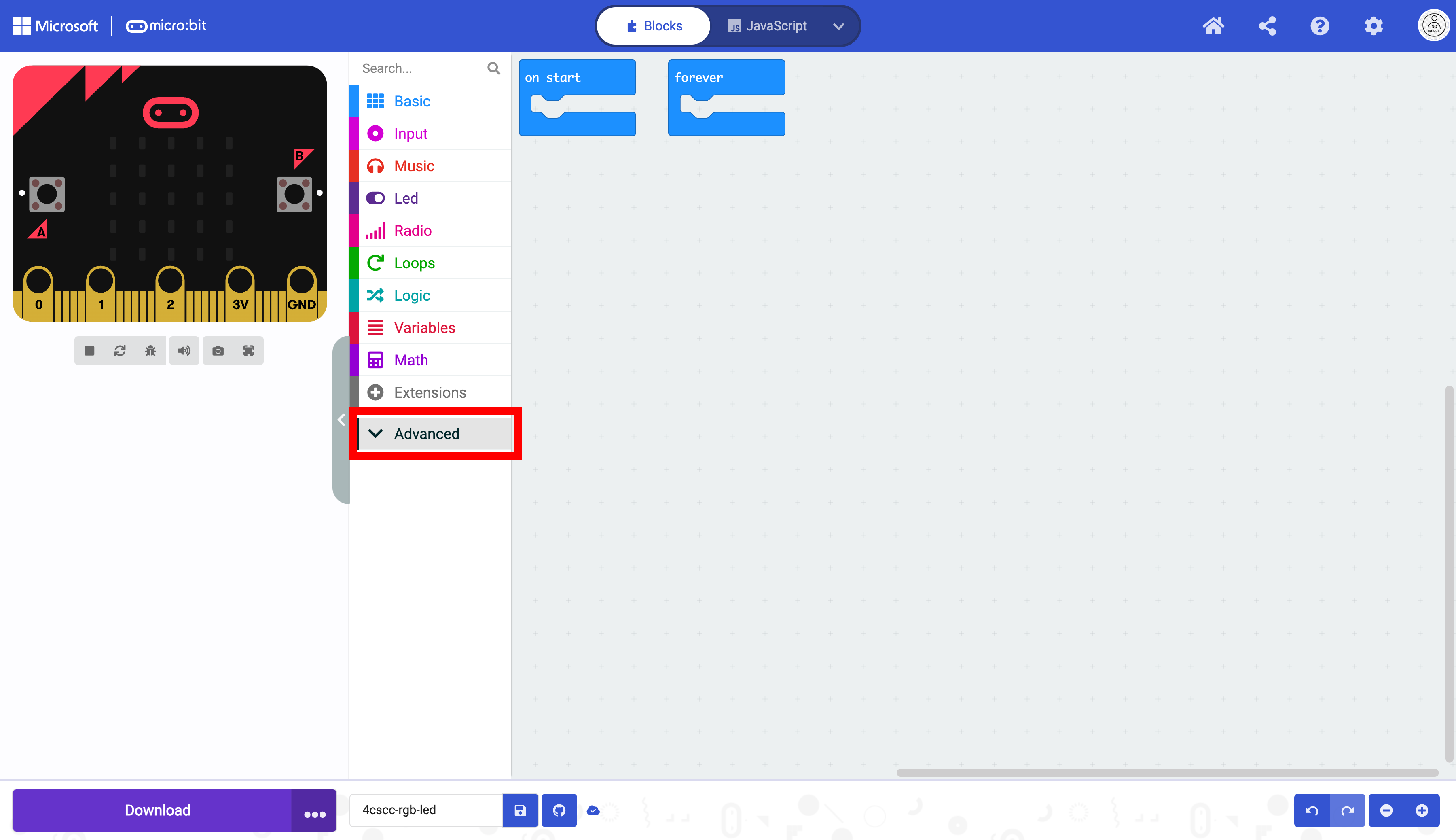
Click on the “Pins” drawer.

Select the analog write block.

Drag the analog write block into the forever block.
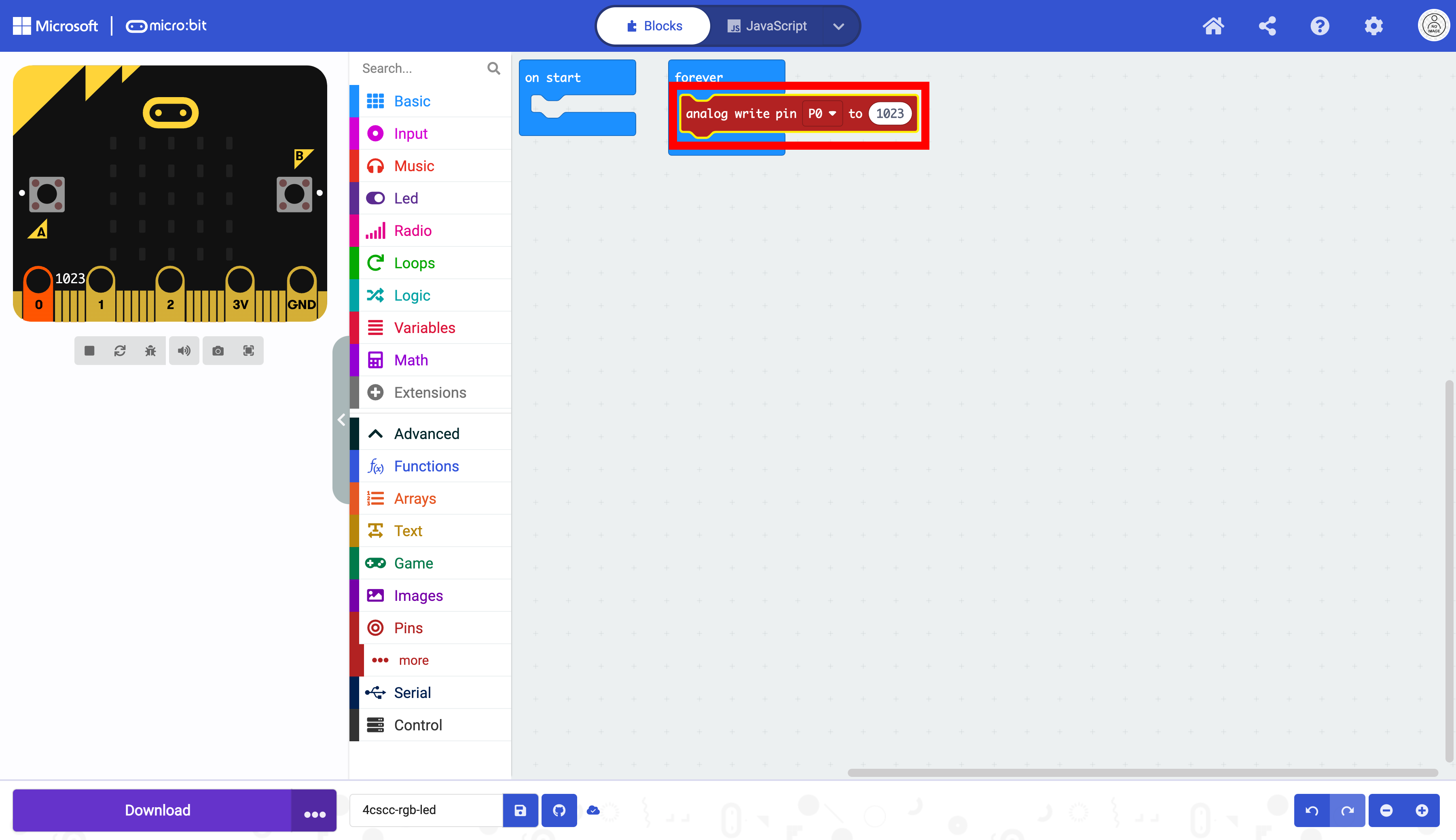
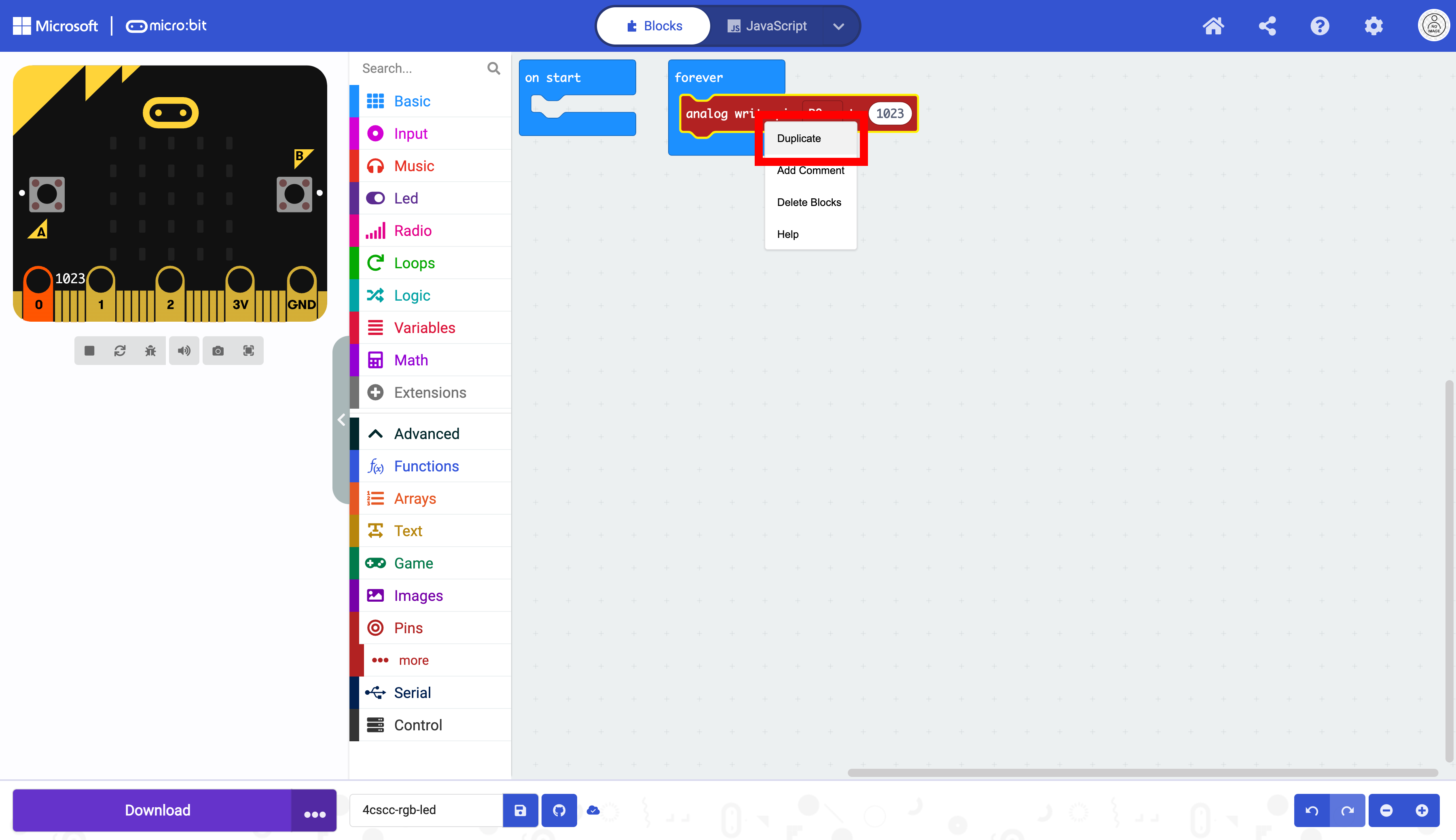
Right-click the analog write block and select “Duplicate.”
Make two duplicates of the analog write box.

Place the duplicated analog write blocks in the forever loop.
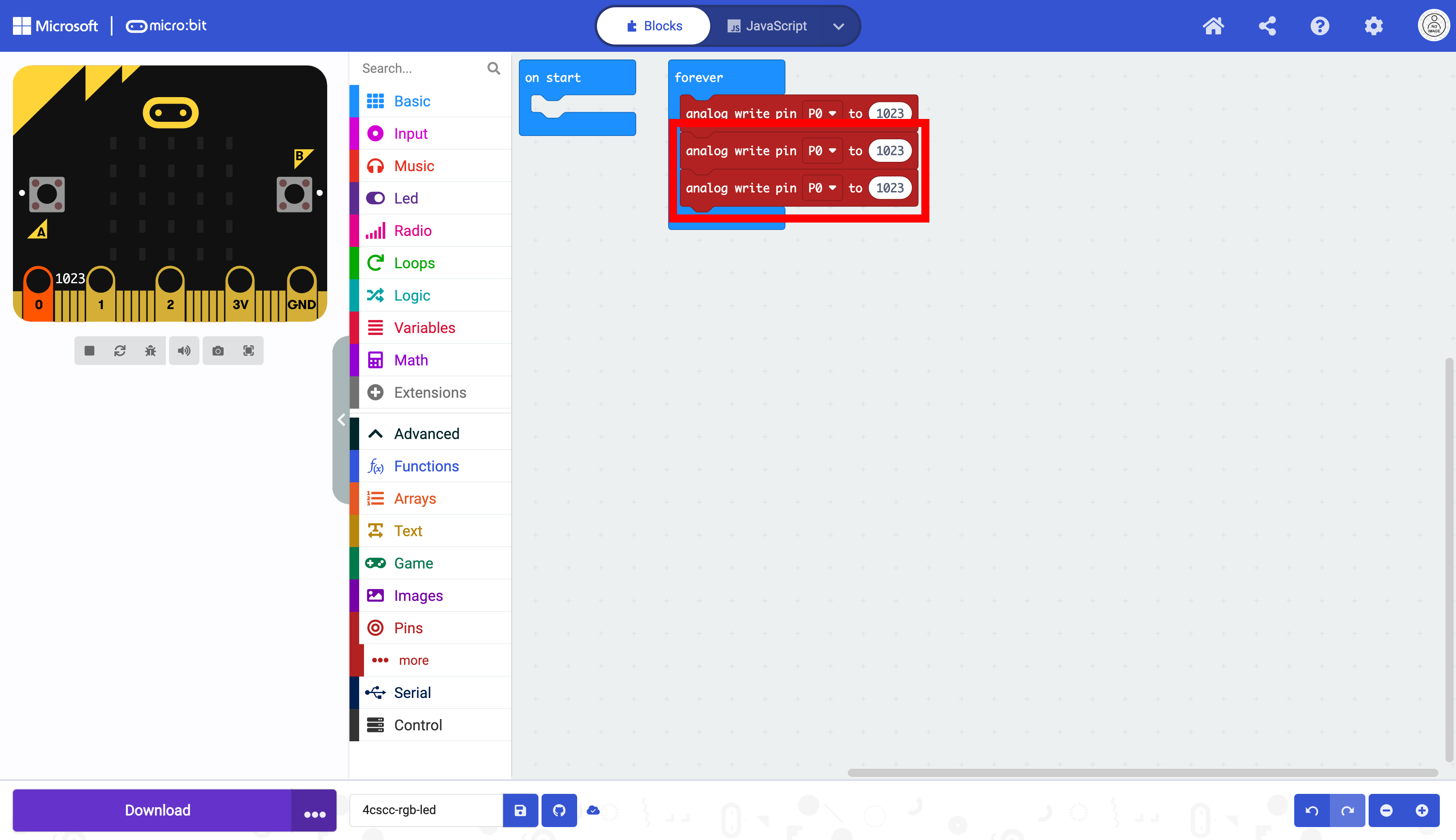
Next, you need to change the pins to match the pins on the leads in the circuit you built in the previous section.
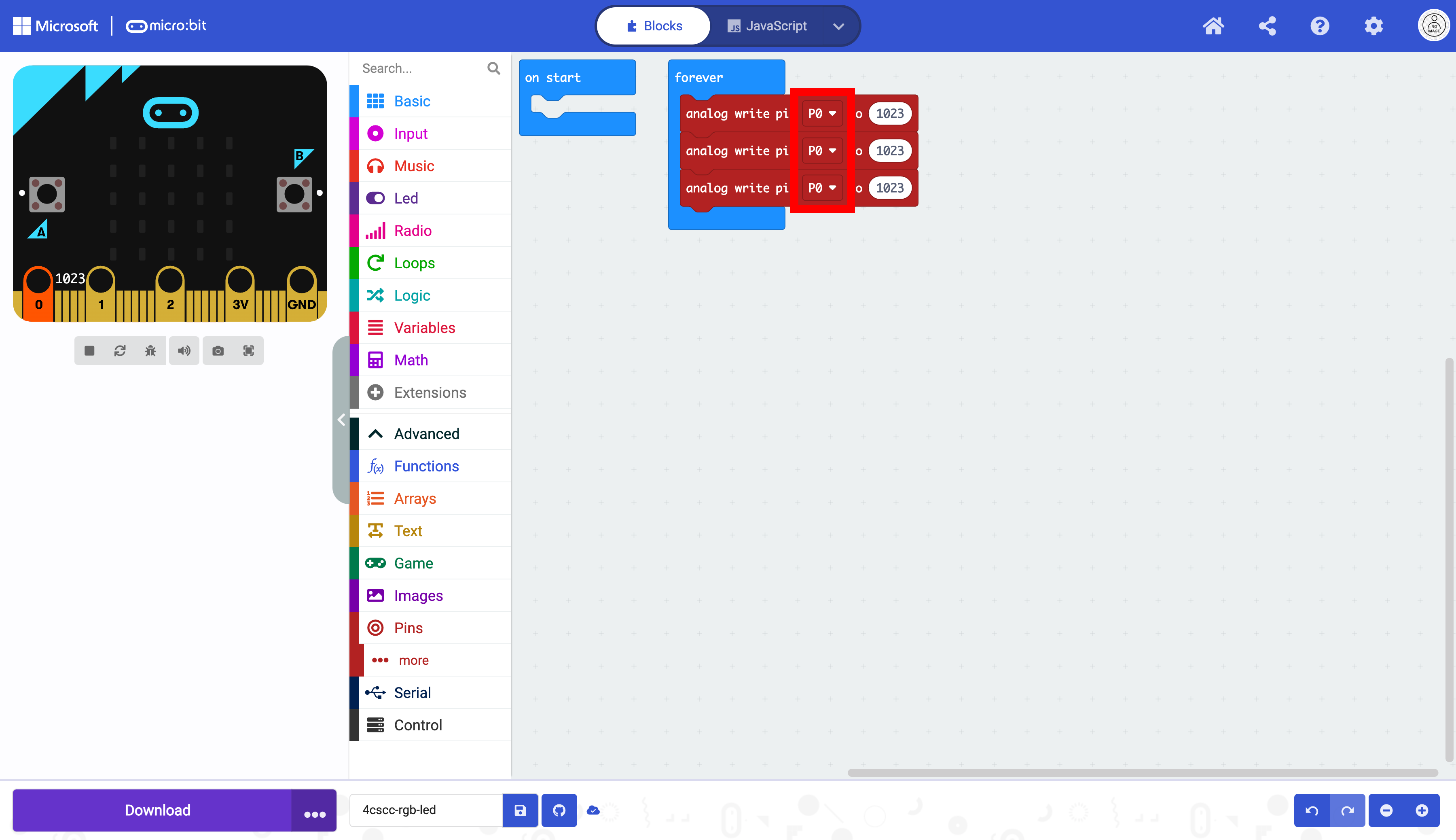
The red lead is attached to 0 (P0 in MakeCode), the green is attached to 1 (P1 in MakeCode), and the blue is attached to 2 (P2 in MakeCode). Now each of these blocks will control one of the leads on the LED.

The values in each block will control the brightness associated with each lead. The values of the three blocks connected to the three leads of the RGB LED will represent the values of RGB color codes. The default range of analog write is between 0 and 1023. We will be using the range between 0 and 255 to simulate RGB color codes.

Changing the first value on P0 to 255 and the other values on P1 and P2 to 0 will produce a red light (255, 0, 0). Duplicate these three blocks twice and place them in the forever block.
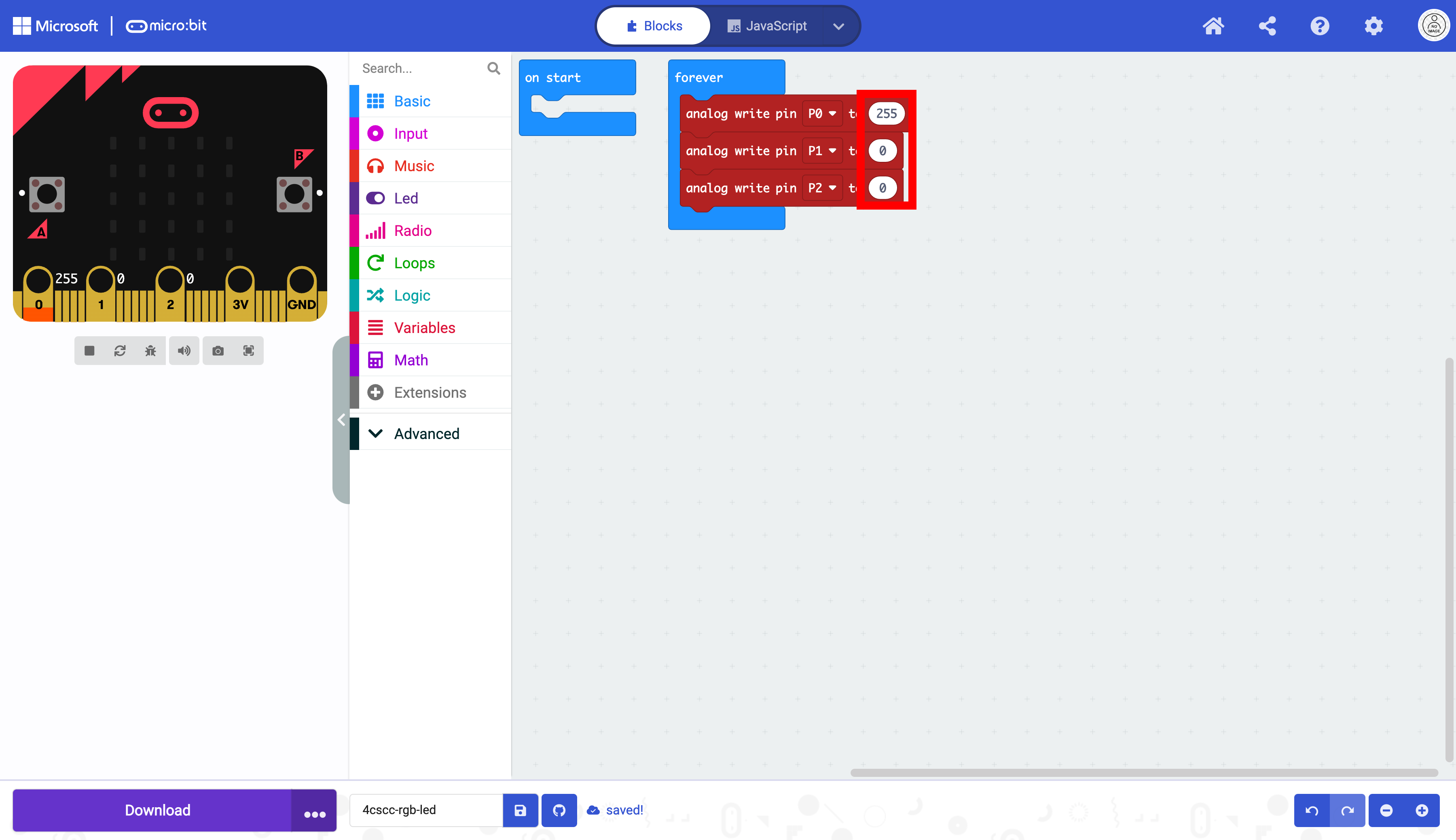
To make our LED flash red, green, and blue, we must duplicate these three blocks twice and place them in the forever block. You can see in the image that the three blocks in the red square will tell the light to flash red. The second three blocks will tell the light to flash green, and the last three blocks will tell the light to flash blue. Change the values in your code accordingly.
Change the values to represent the three colors with the following:
red: (
255,0,0)green: (
0,255,0)blue: (
0,0,255)
How would you change the values in the blocks to turn on only the green light? Only the blue light? What color light would you make if you changed these values to (255, 255, 255)?

To make the light stay on long enough for us to see it, we need to place pause blocks after each color. Select the “Basic” drawer in the Toolbox.

Select the delay block.
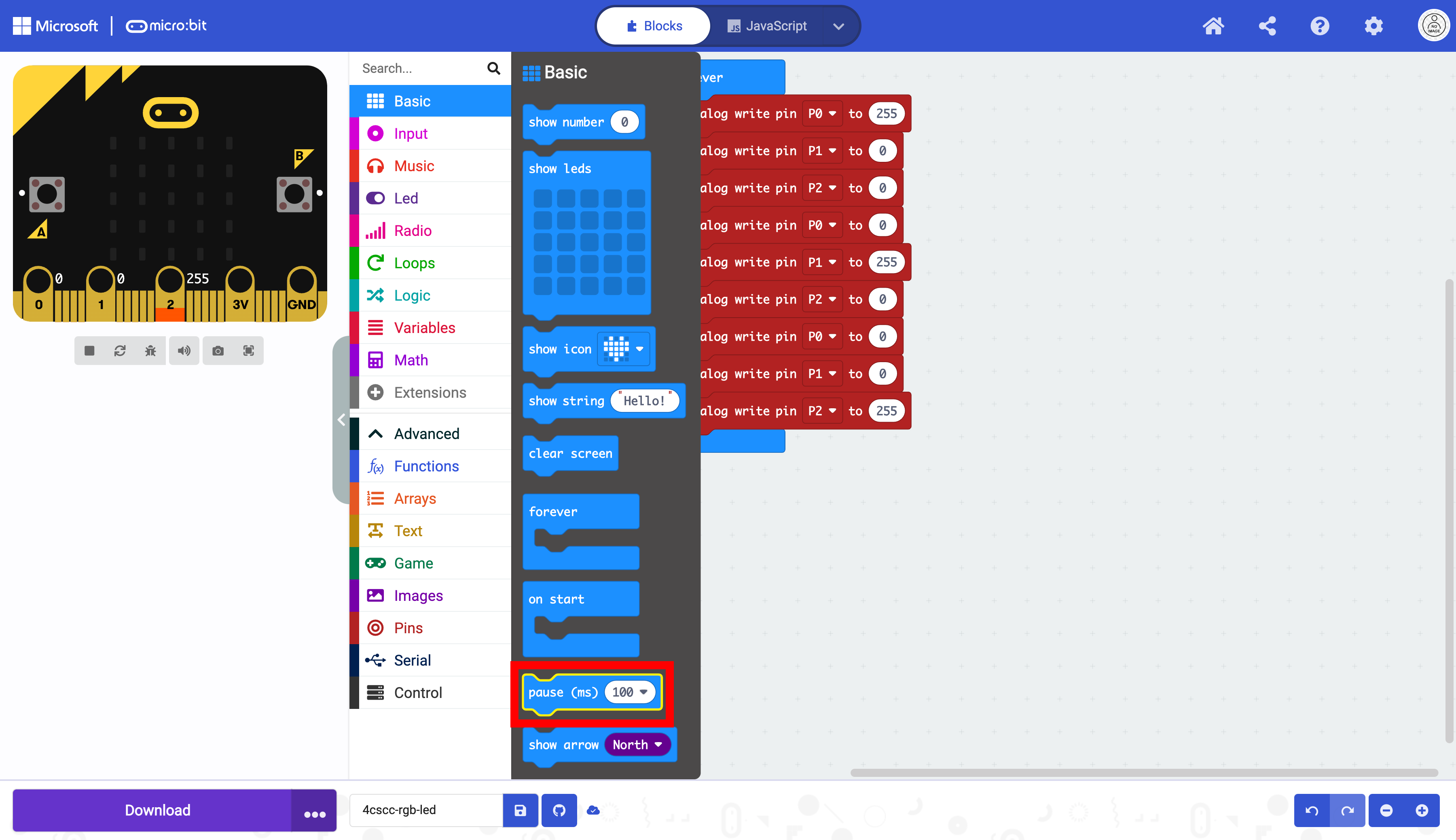
Place a pause block after every color.
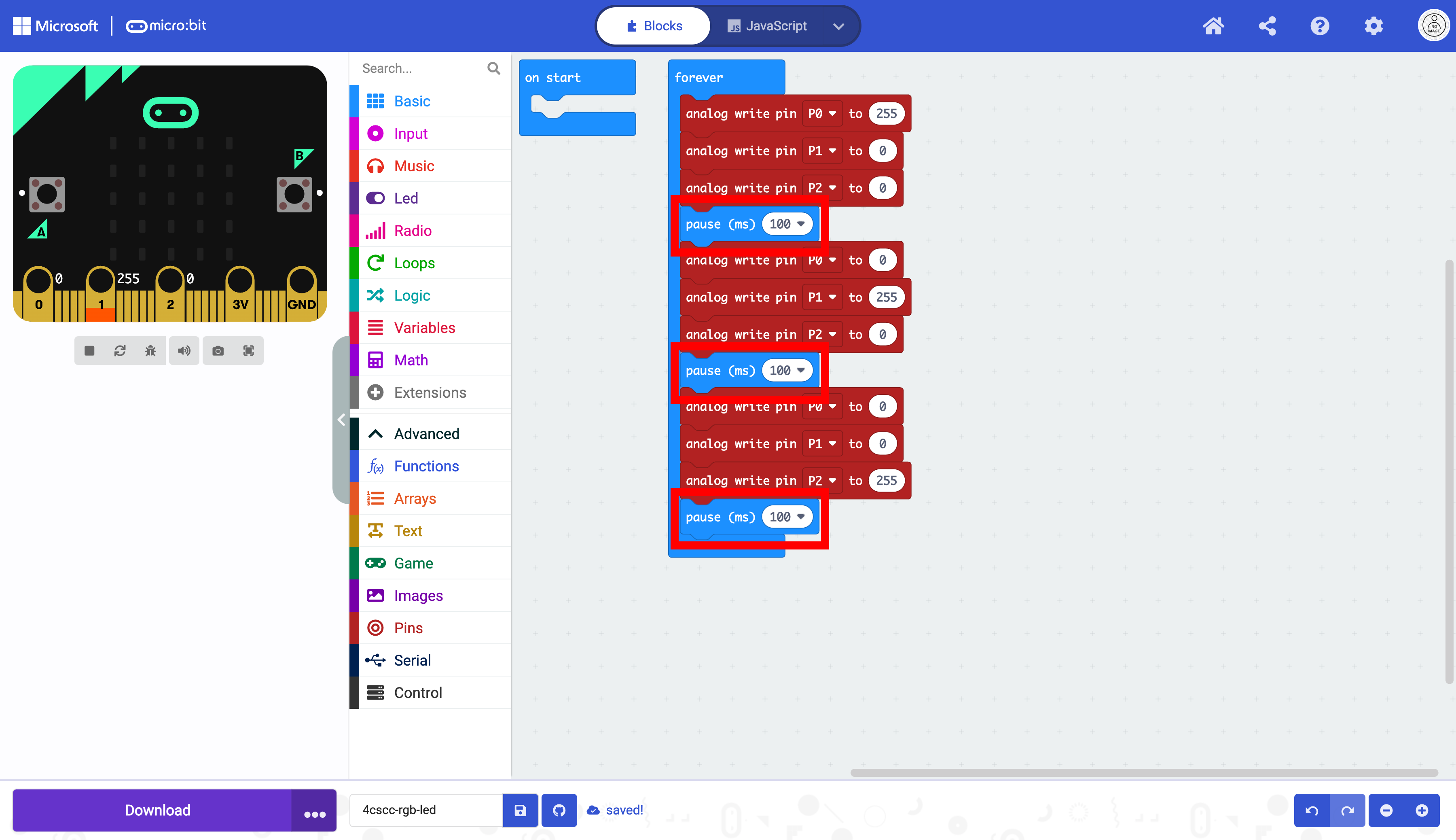
The duration of the pause block can be changed. Remember that the 100 is 100 milliseconds or 0.10 seconds.
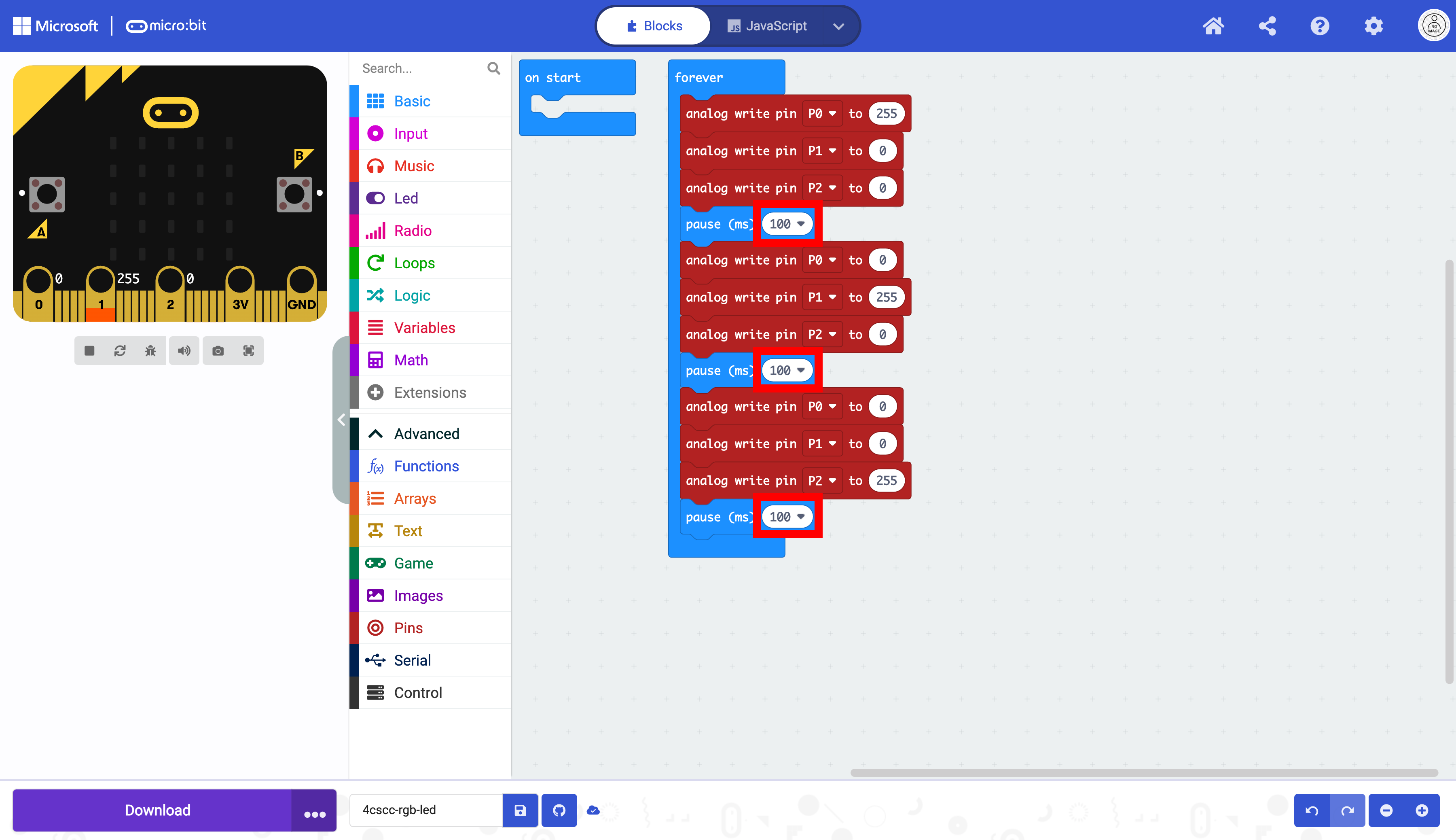
The delay can be changed to make the colors alternate slower.
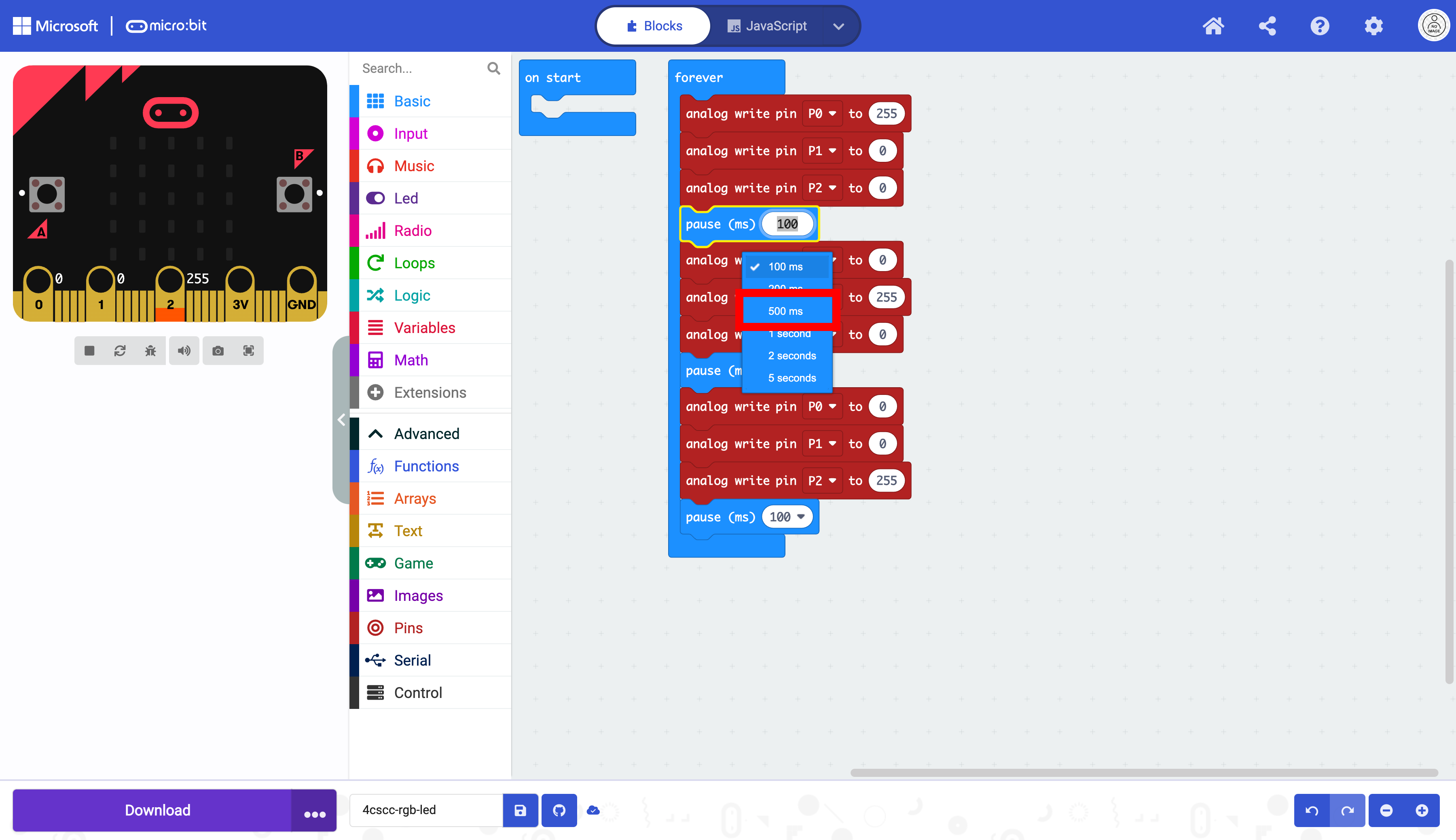
This example changes the color every 500 milliseconds or every half a second.
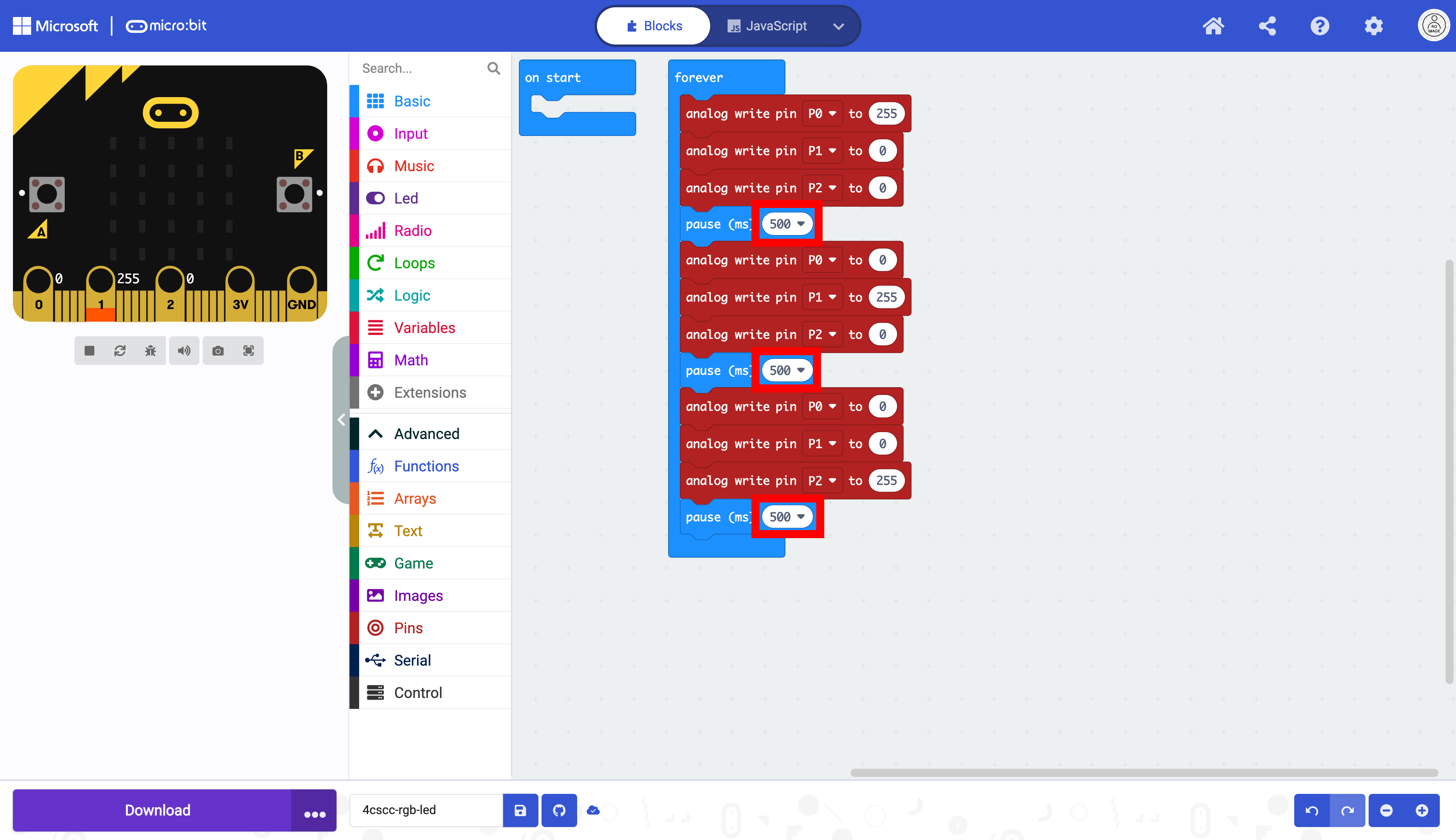
The micro:bit is now ready to be flashed with code. Press the download button to transfer the code to the micro:bit.