

Displaying Custom Images#
Click on the “Basic” drawer in the Toolbox
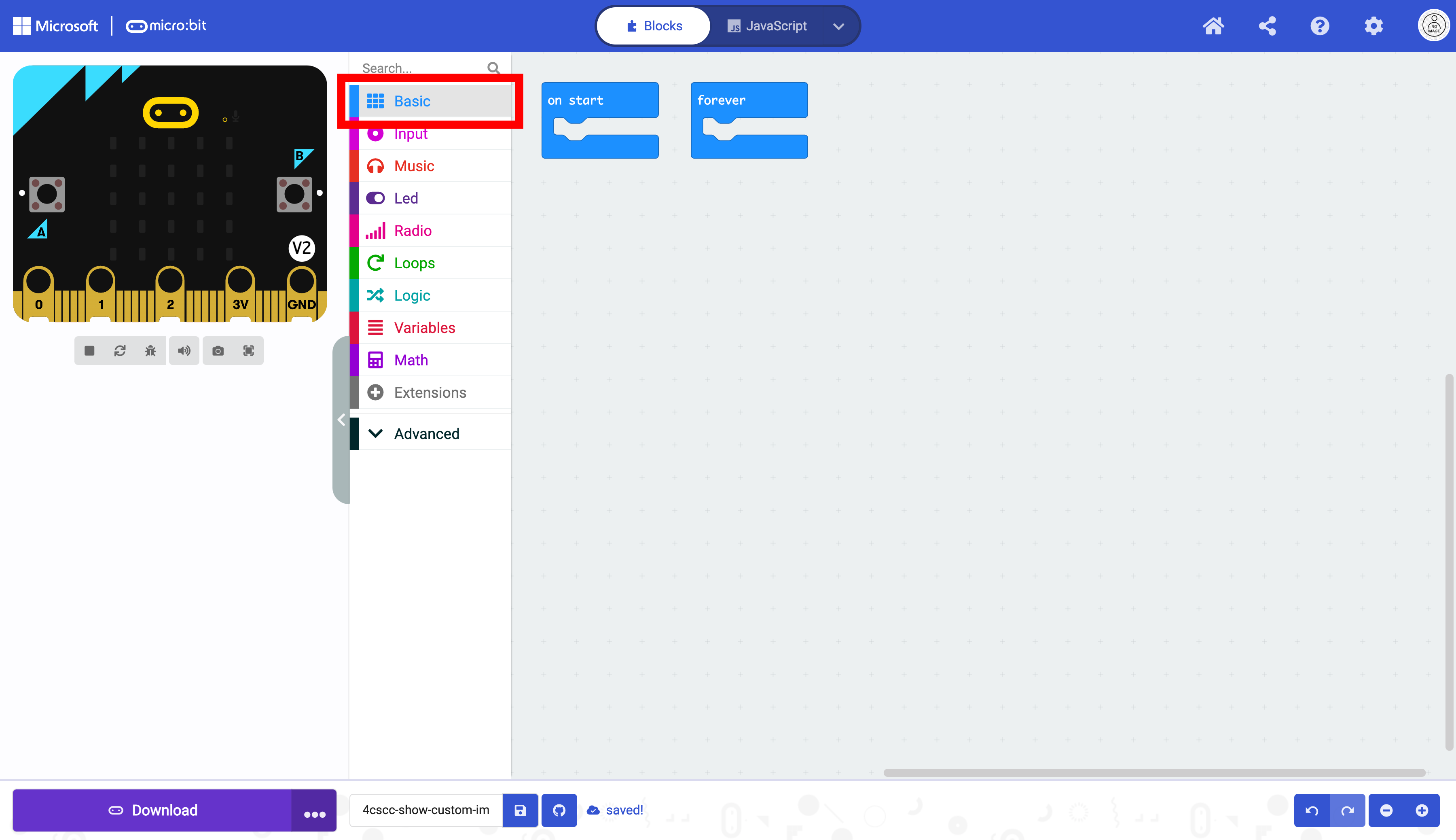
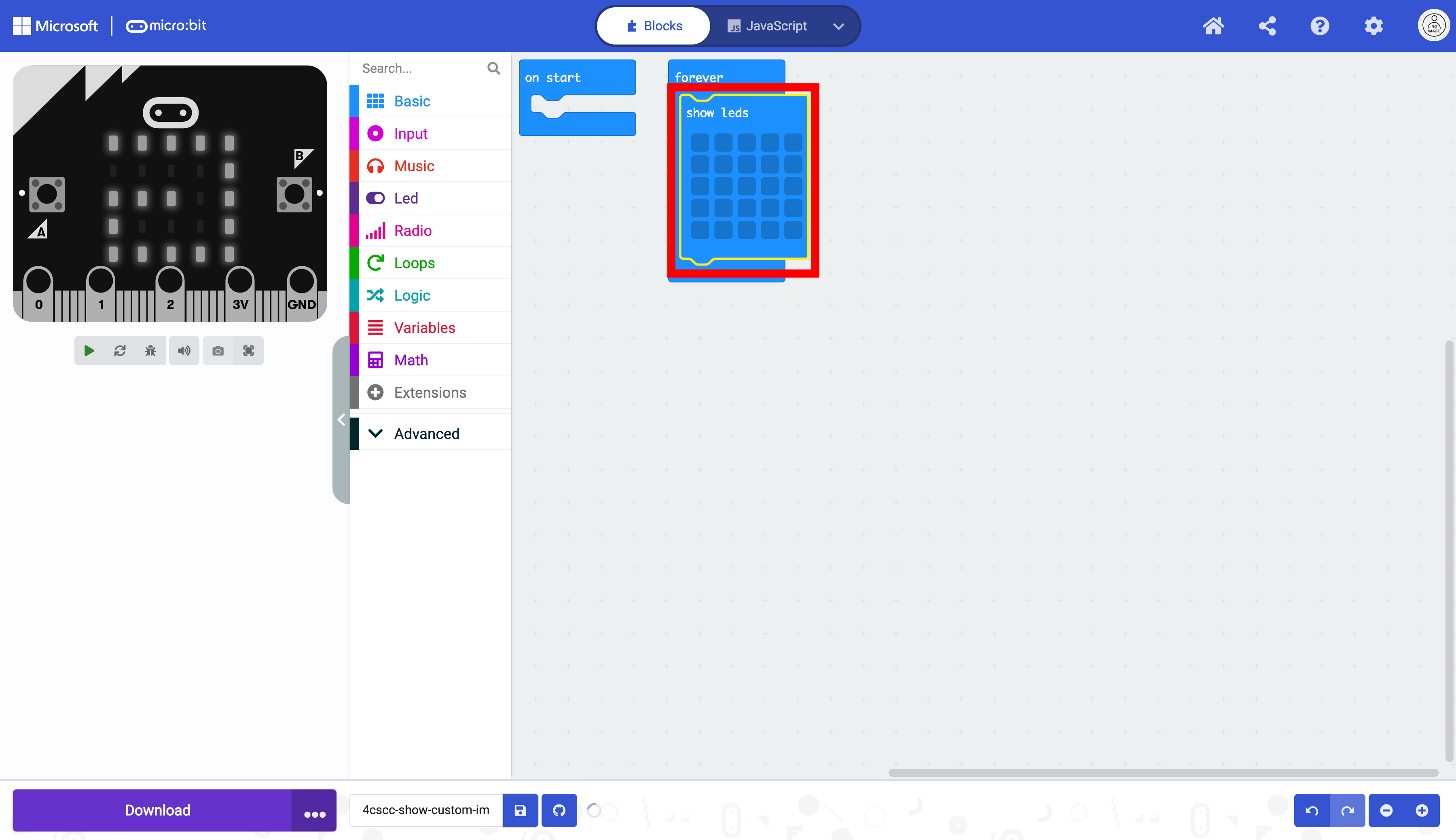
Select the show leds block.

Place the show leds block in the forever block.
Create your custom image by clicking on the squares. White squares will turn LEDs on.
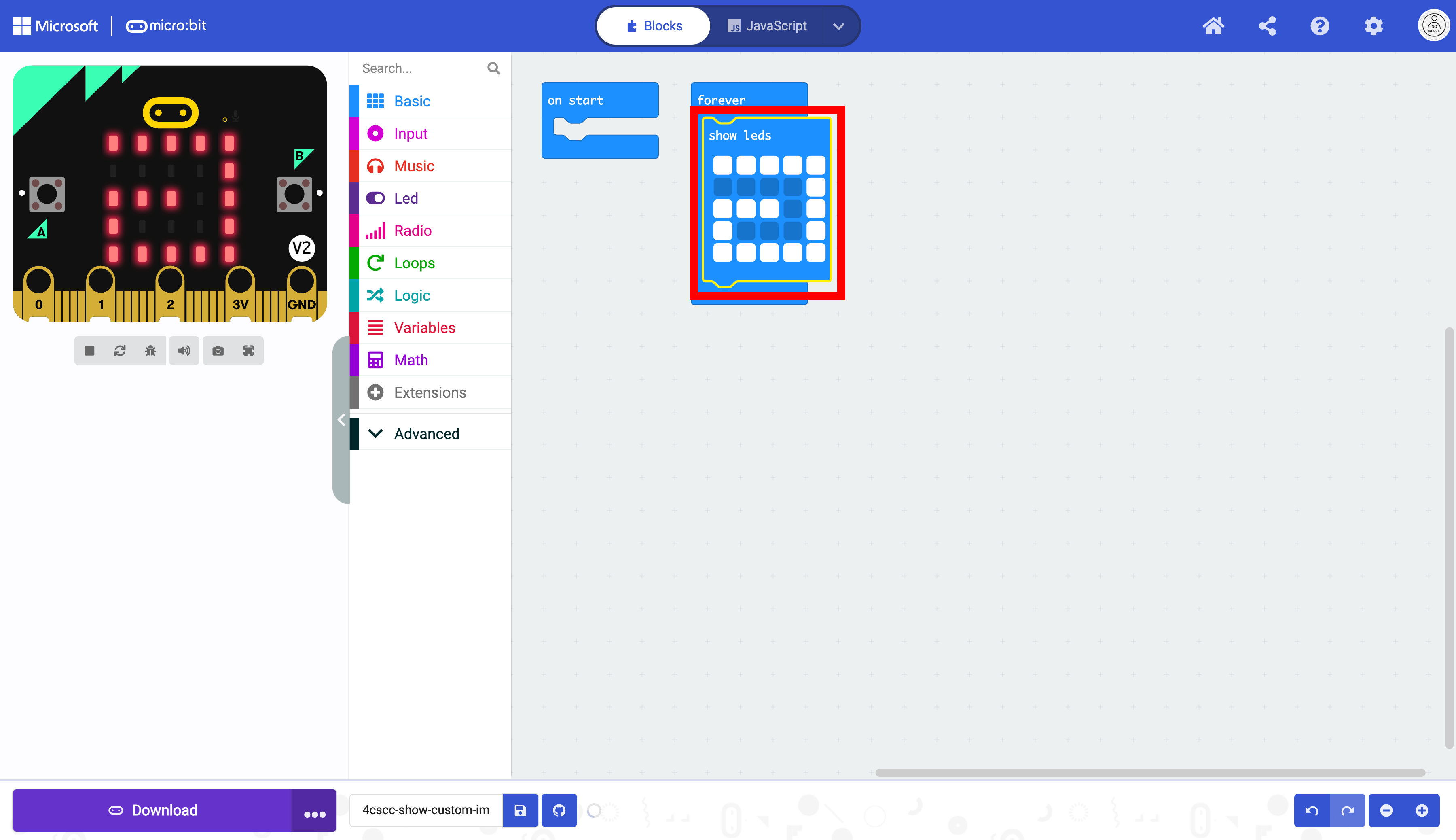
The code is now ready to be flashed on the micro:bit.